 Bridge
Pay someone nearby with no network
Applies to Bridgemoni 2.1Last checked 22 October 2026
You can pay another Bridgemoni phone next to you even with no signal, no data and no Wi-Fi. The money moves straight away and settles with your bank when either phone is back online.
Before you start: your phone must be linked for offline payments, and you need money on it. See Move money to your phone. The other person needs Bridgemoni too.
Steps
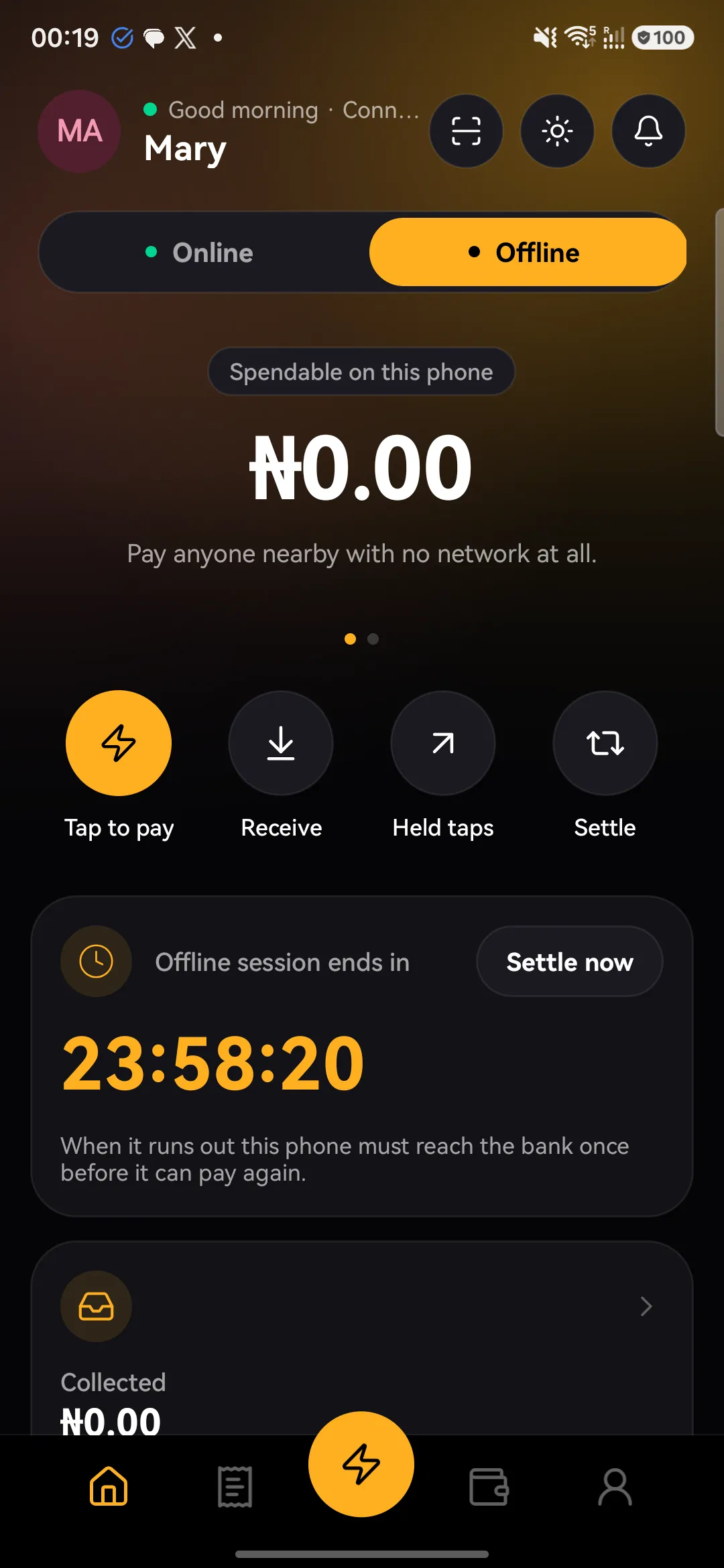
- Switch to Offline. On the home screen, tap Offline at the top. You’ll see what’s spendable on this phone.
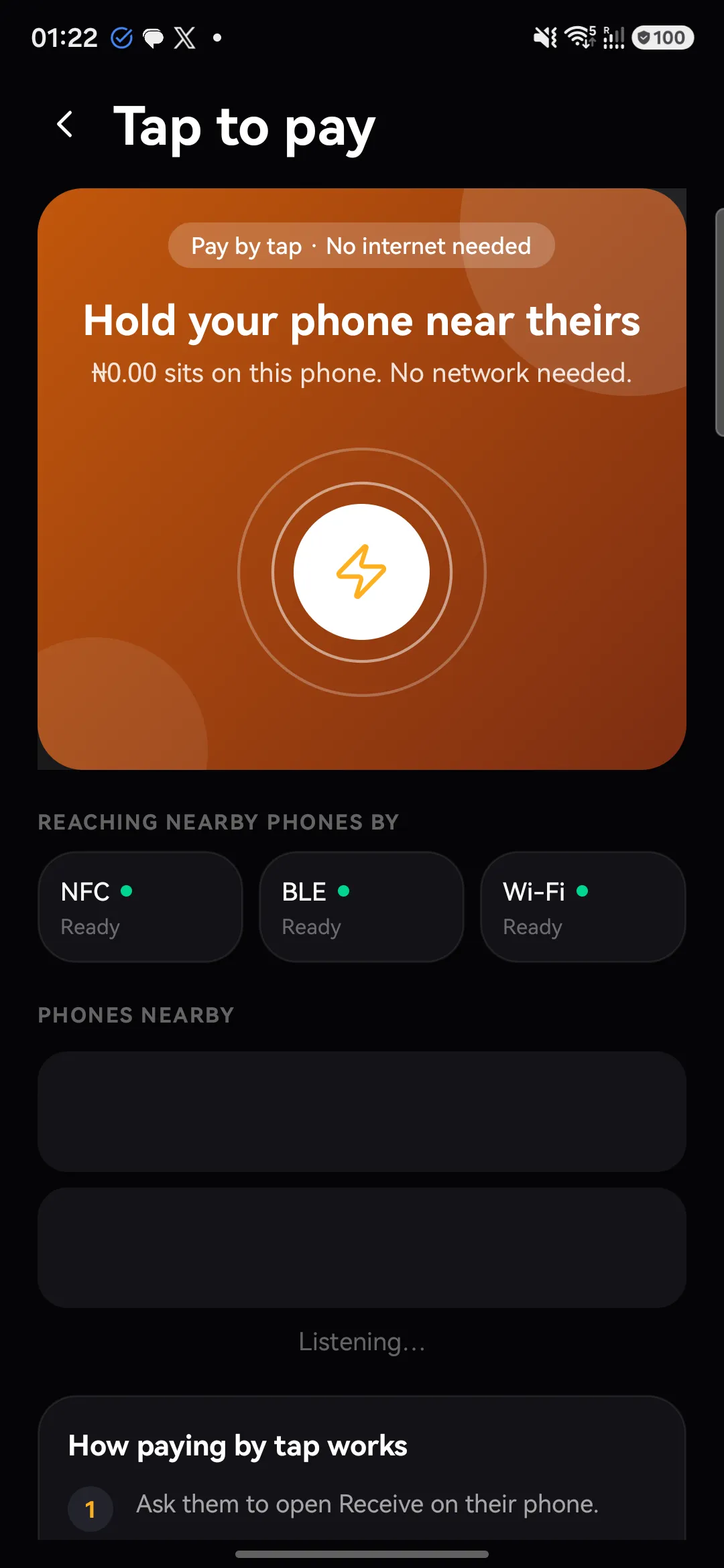
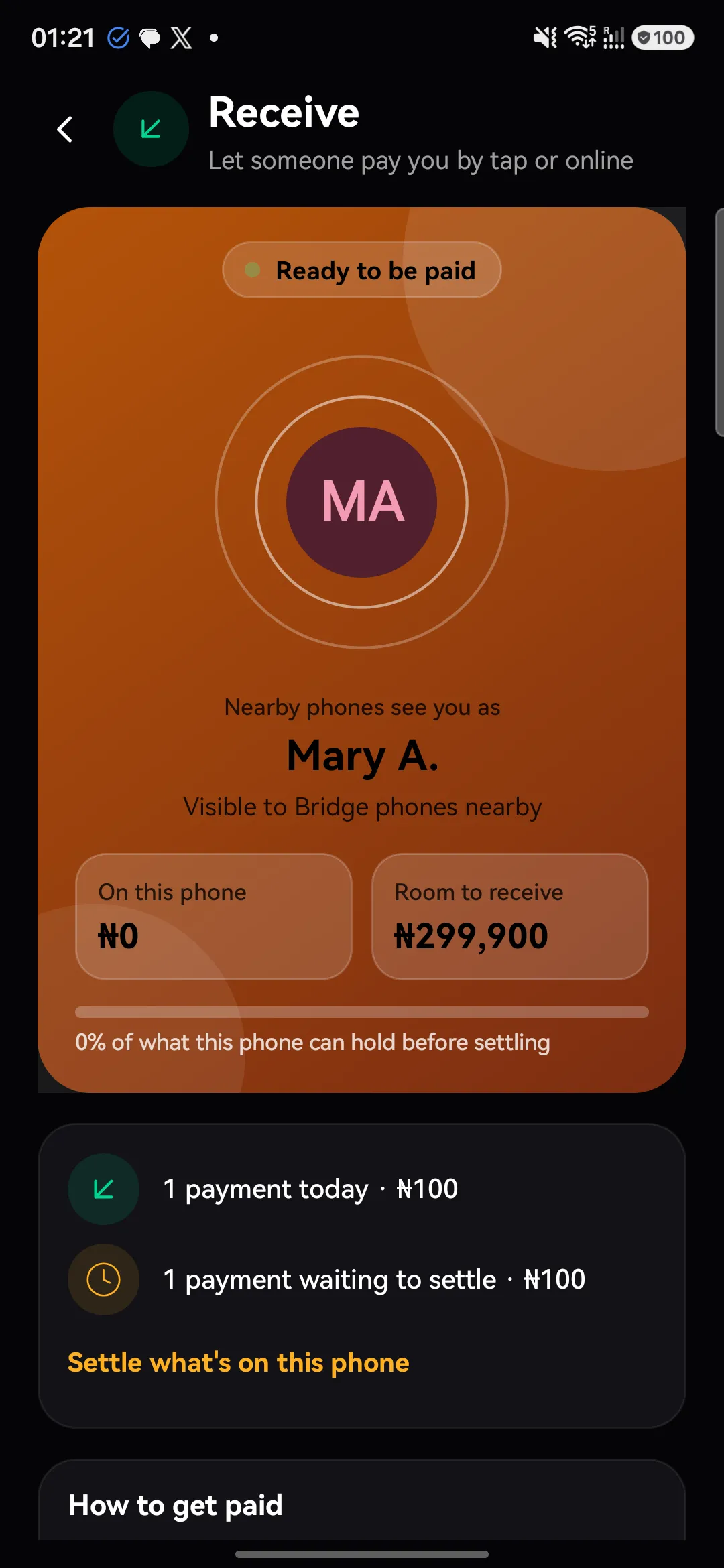
- Tap to pay. Ask the other person to open Receive on their phone. Hold your phones close together.
- Pick them and enter the amount. Choose their phone from Phones nearby, enter the amount and check their name.
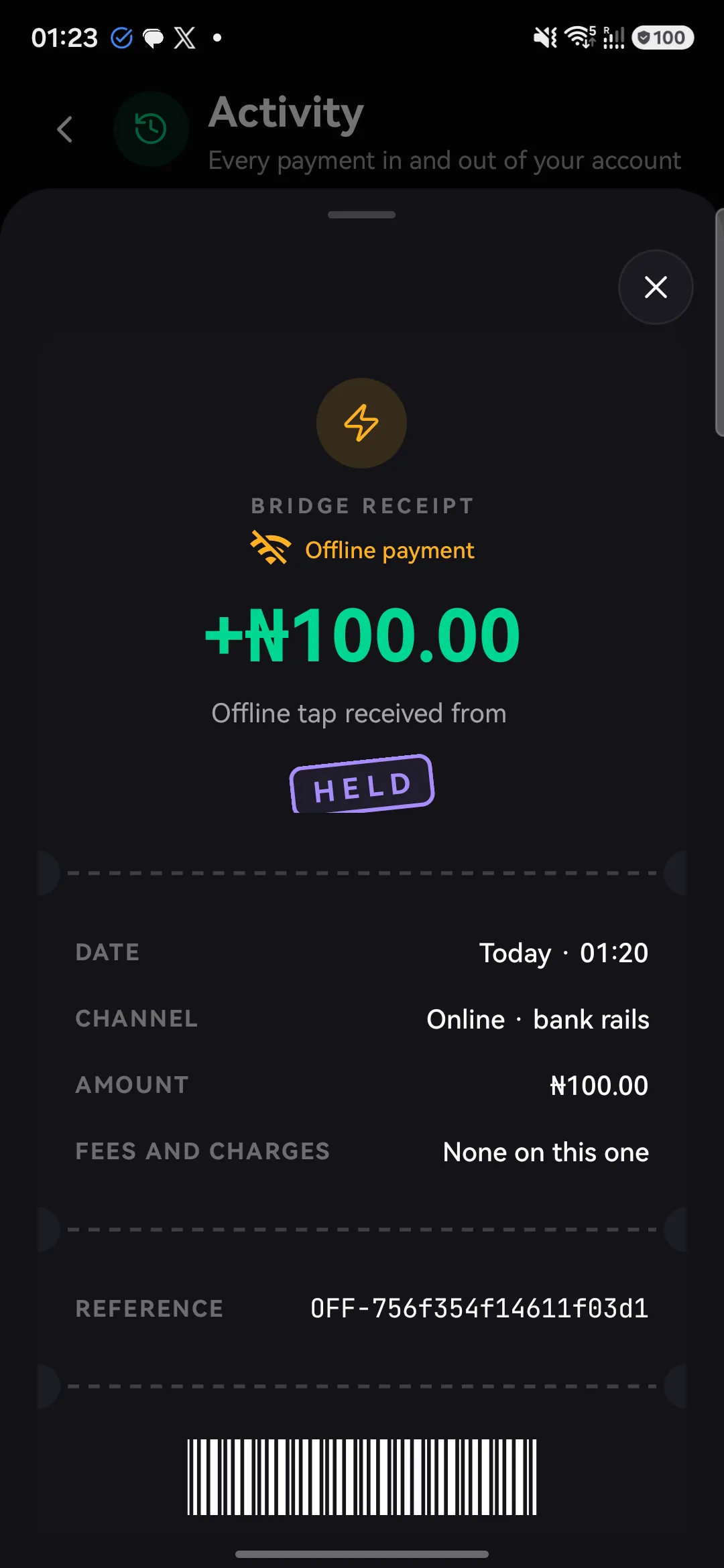
- Approve with your device PIN. When it’s done, you’ll both see the payment as Held on this phone.
If something goes wrong
- The payment doesn’t finish. Nothing left your phone. Move closer and try again.
- You see it in Held taps. It went through, and will settle when you’re back online.
- “Only … is on this phone.” Move more money to your phone when you next have signal.
Offline payments can’t be reversed by tapping again, so check the name and amount before you approve.
What you'll see
Did this help?
Thanks for telling us.
Still stuck? Contact us. We'll never ask for your PIN or password.