The Bridgemoni app

Everything in Bridgemoni.

Turn on what you use. Turn off what you don't.

What's new · Bridgemoni 2.0 and 2.1 · October 2026 Keep Bridgemoni updated

A new look on every screen, and new ways to use your money.

  • Deals

    Money held until the deal is done

  • Budgets

    Limits that warn you before you go over

  • Community

    A shared pot your whole group can see

  • Insights

    A money health score and plain tips

  • Refer friends

    Share your code, earn from their fees

  • Languages

    Bridgemoni in Naijá, Hausa, Yorùbá and Igbo (in review)

02

Works offline

Phone to phone, with no signal, settled with your bank when you're back.

04

Buy and sell safely

Bridgemoni holds the money until you approve each stage.

Your money

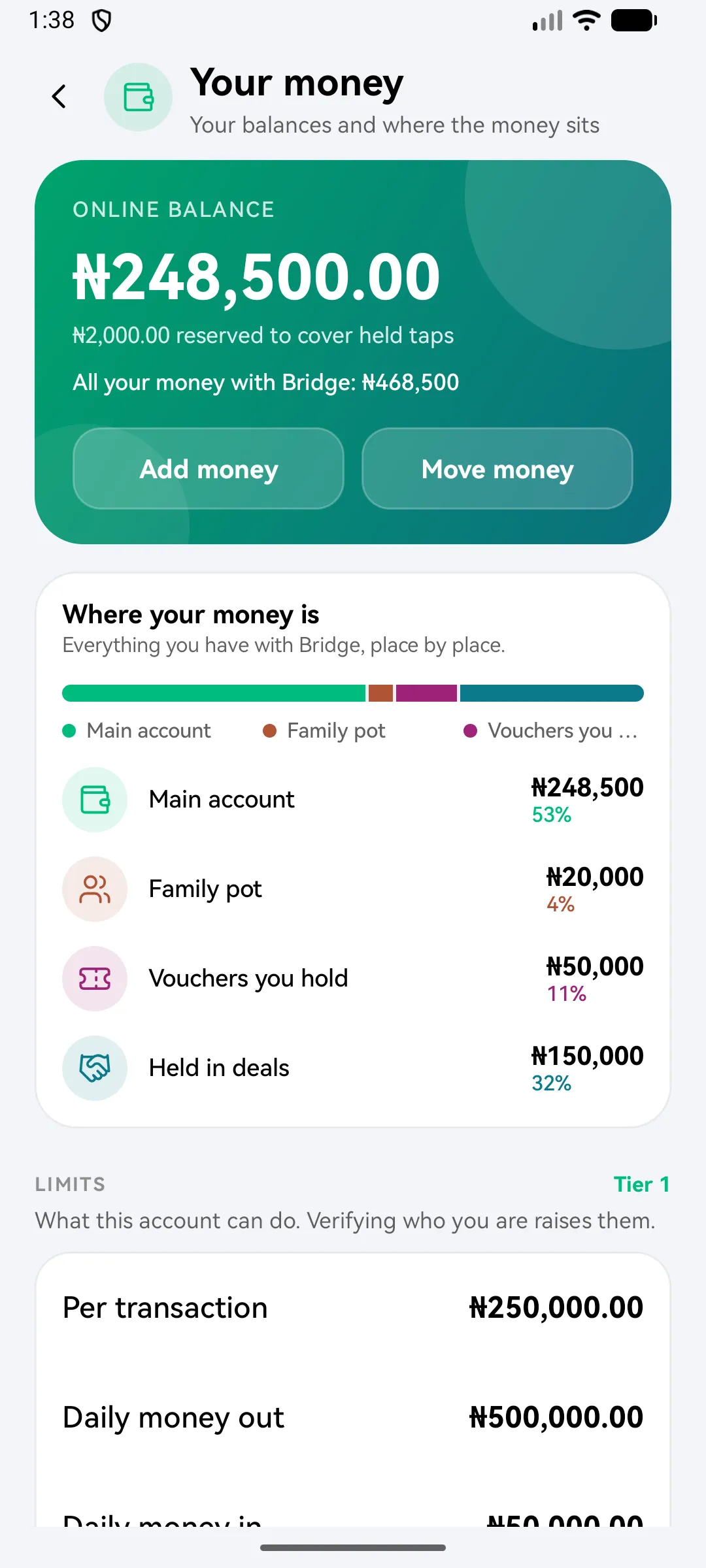
See where all your money sits.

Your main account, the money on your phone and your family pot, on one ring.

Your money: a ring chart of where your money sits, across your main account, your phone and the family pot
Look closer

What each feature does today.

All of these are in the app now. Turn on the ones you use.

Since 1.0

Send & receive

Free and instant to Bridgemoni users. Every fee shown before you confirm.

  • The account name is checked before you pay
  • A quote shows fees and taxes before your PIN
  • Your own account number to top up from any bank app, once your BVN is verified
  • A QR code that only ever receives money
See how it works
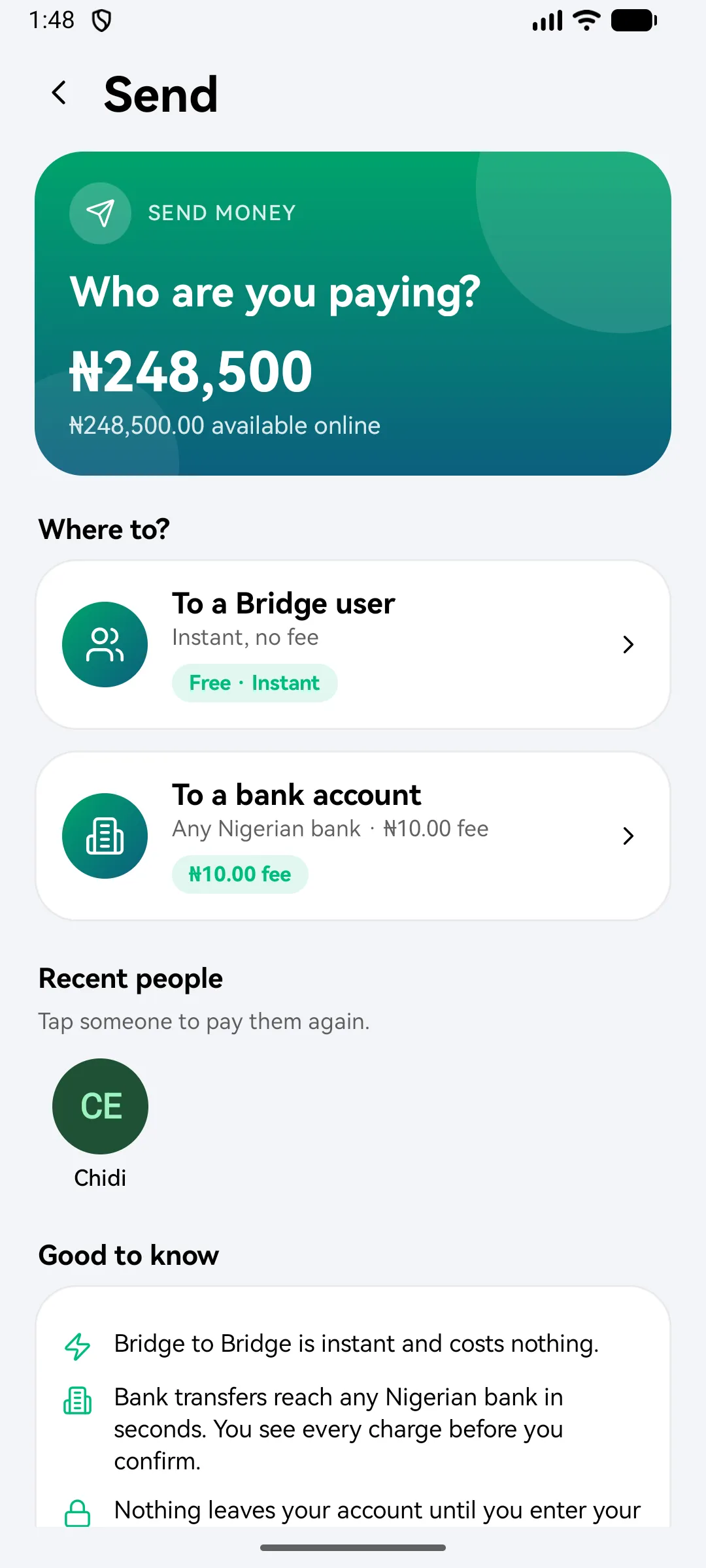
Who are you paying? To a Bridgemoni user, free and instant, or to a bank account at any Nigerian bank with the fee shown
Since 1.9

Bills

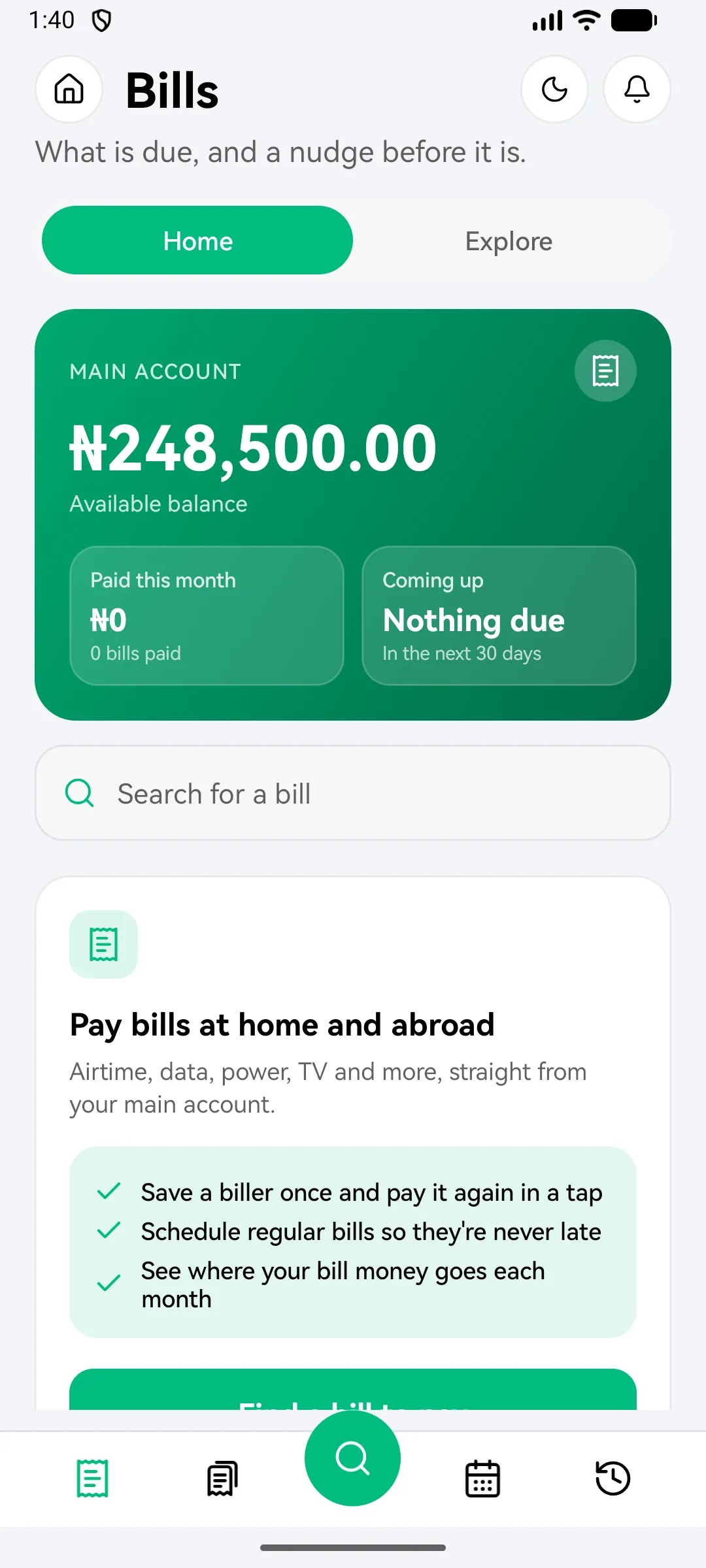
Airtime, data, power and TV from your main account. Reminders before they are due.

  • Bills in over 170 countries, not just Nigeria
  • The biller confirms the name before you pay
  • Save a bill and pay it again in a tap
  • Reminders before they're due
See how it works
Bills: what is due, with a nudge before it is
Since 1.0

Pay with no network

Link your phone once. It holds its own key and pays other Bridgemoni phones with no signal.

  • Move money onto your phone first, then tap to pay
  • Works over Bluetooth or NFC
  • Android to iPhone, and iPhone to Android
  • Taps stay safely on your phone until they settle with your bank
See how it works
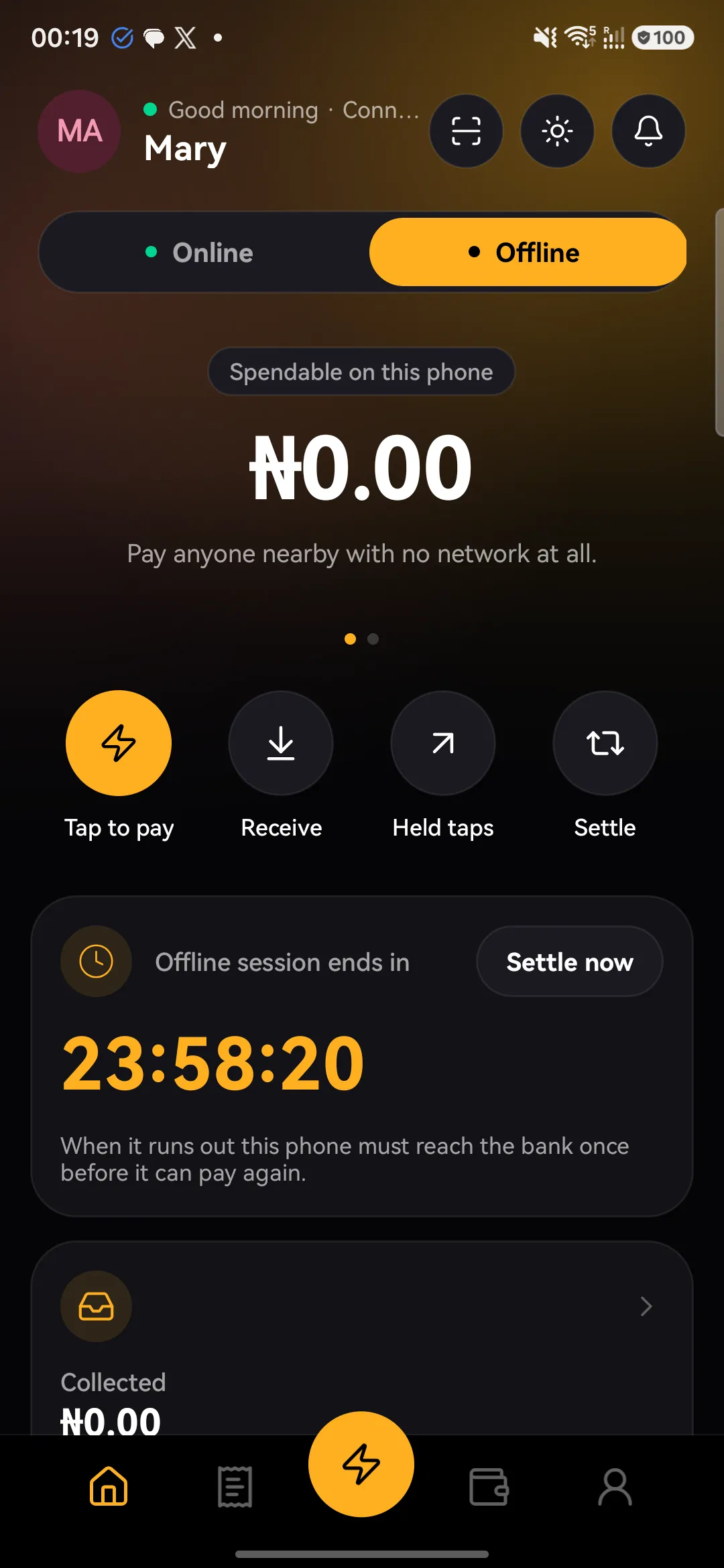
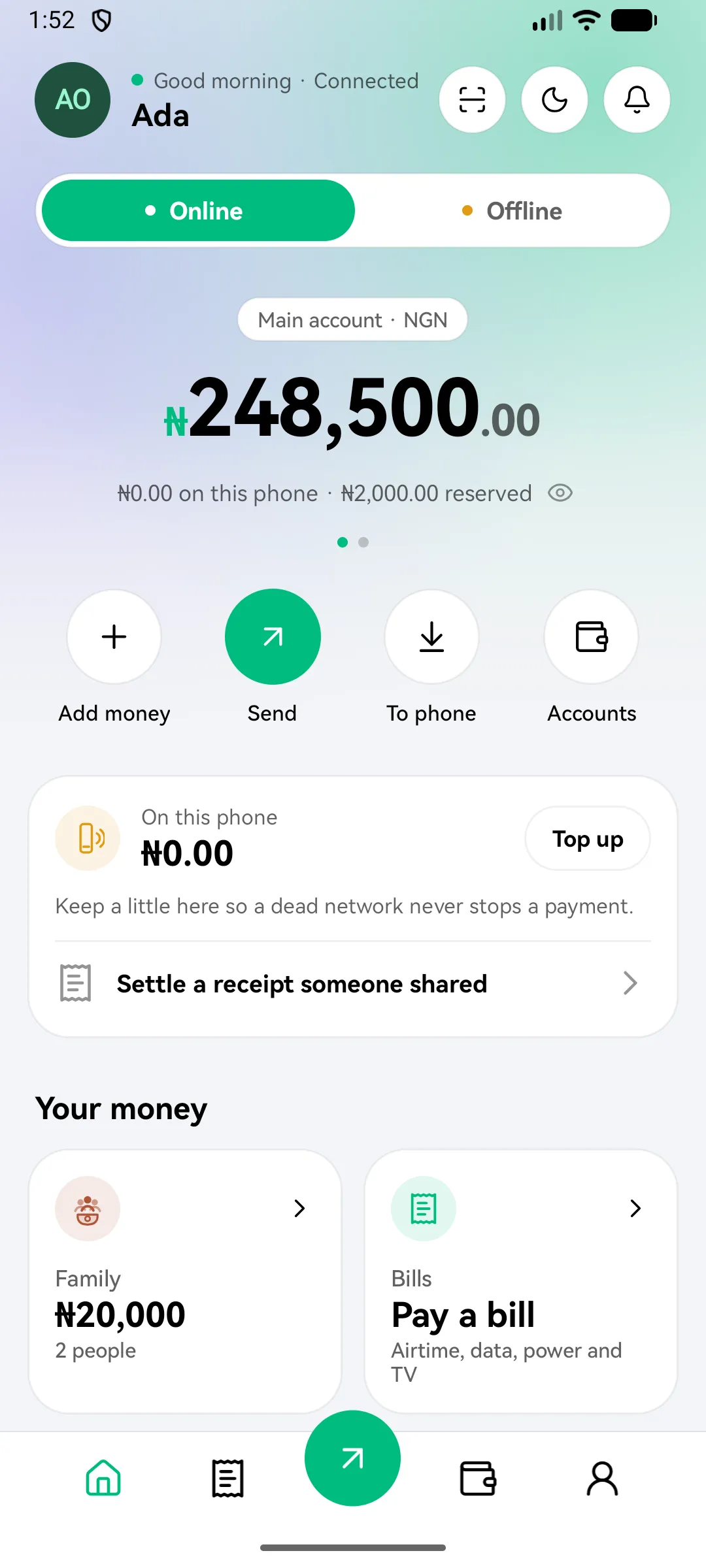
The offline dashboard: spendable on this phone, with Tap to pay, Receive, Held taps and Settle, and the offline session countdown
Since 1.9

Family pot

Set money aside, send it, and see what you promised against what you sent.

  • Set money aside in a pot, apart from your everyday money
  • What you promised, against what you sent
  • Every ask and answer kept in one place
  • You stay in charge of the pot
See how it works
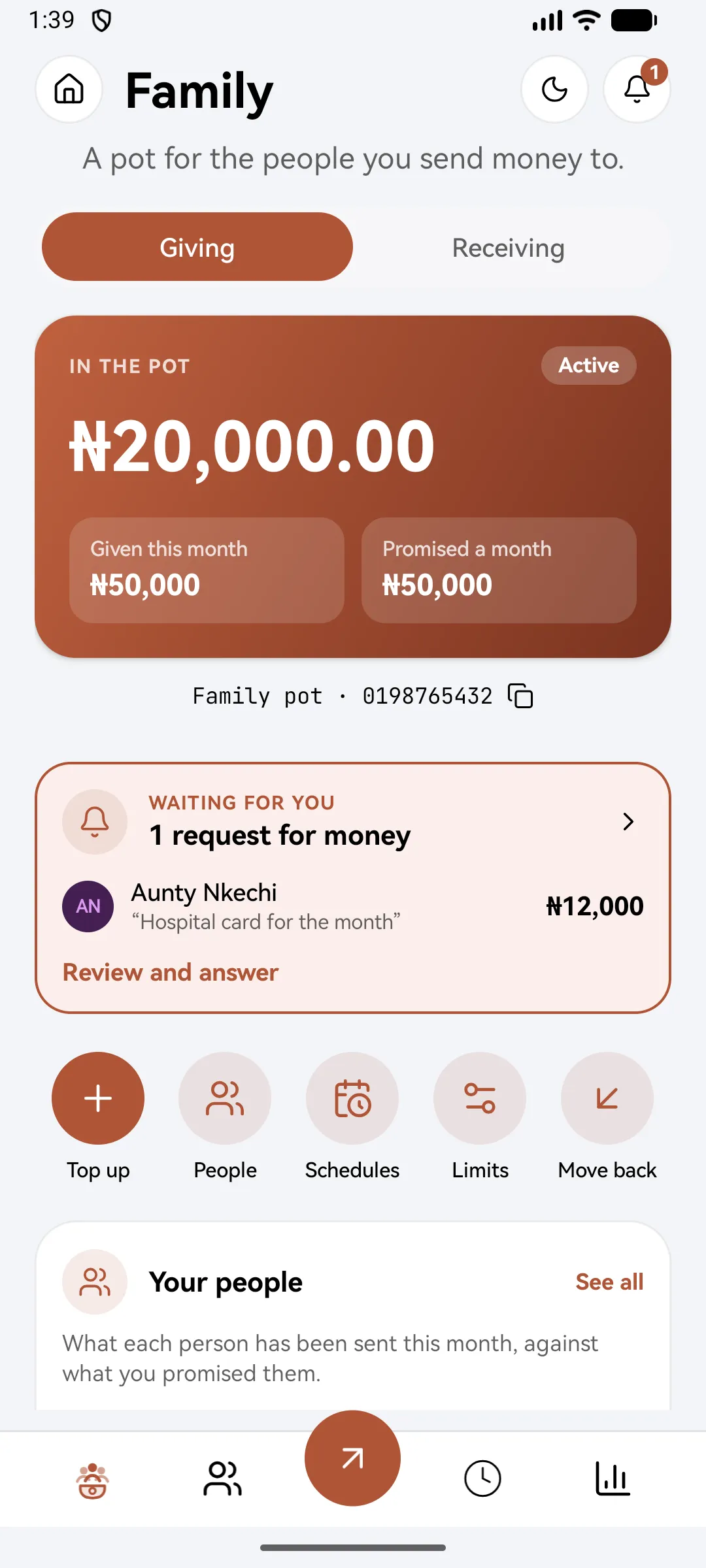
The family pot: in the pot, given this month and promised a month, with a request for money waiting
Since 2.0

Community

A shared pot for your estate, market, family or class, with every member on the roll.

  • A shared pot every member can see
  • Dues weekly, monthly or yearly, so nobody has to chase anyone
  • No one moves the pot alone
  • Campaigns with a target and a deadline
See how it works
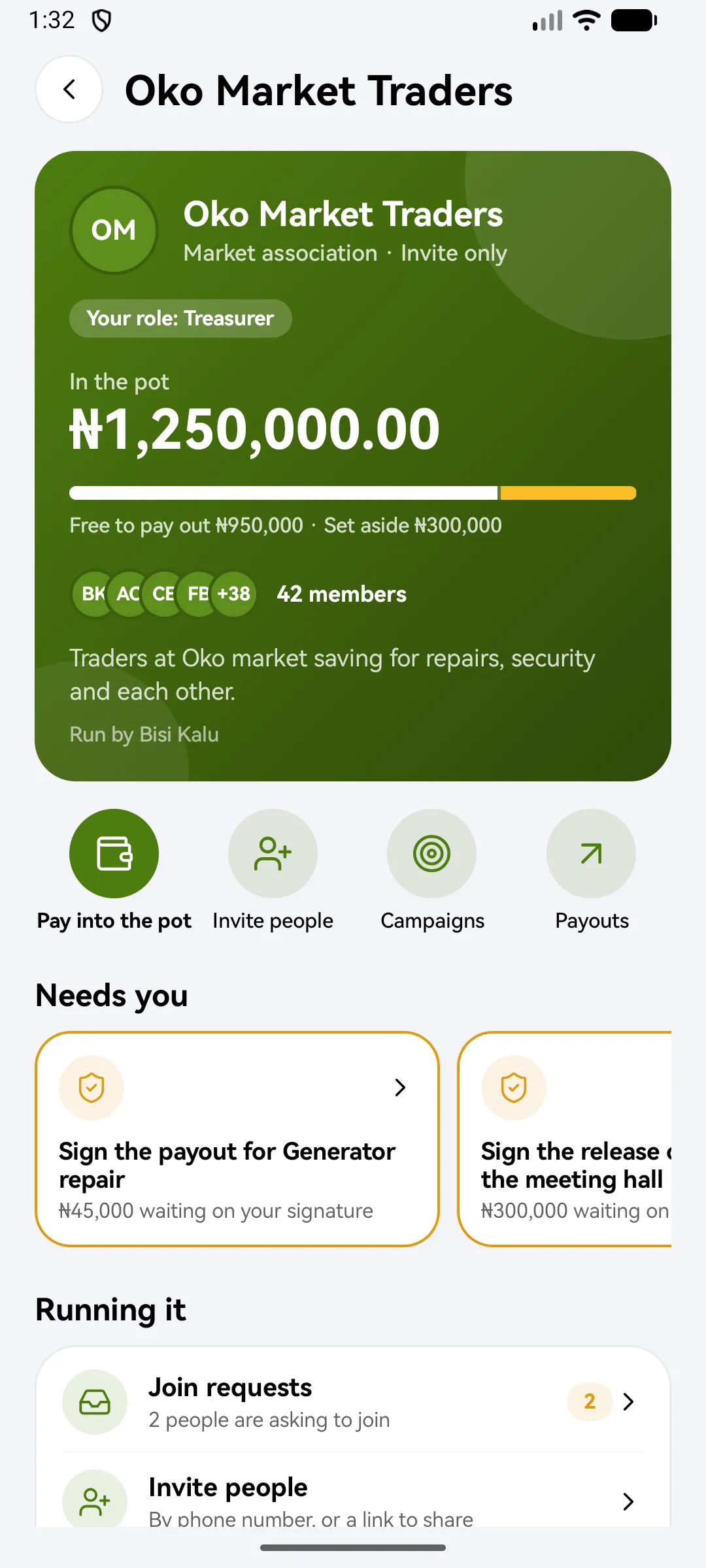
A community pot for a market association: in the pot, free to pay out and set aside, and items that need your signature
Since 1.9

Vouchers

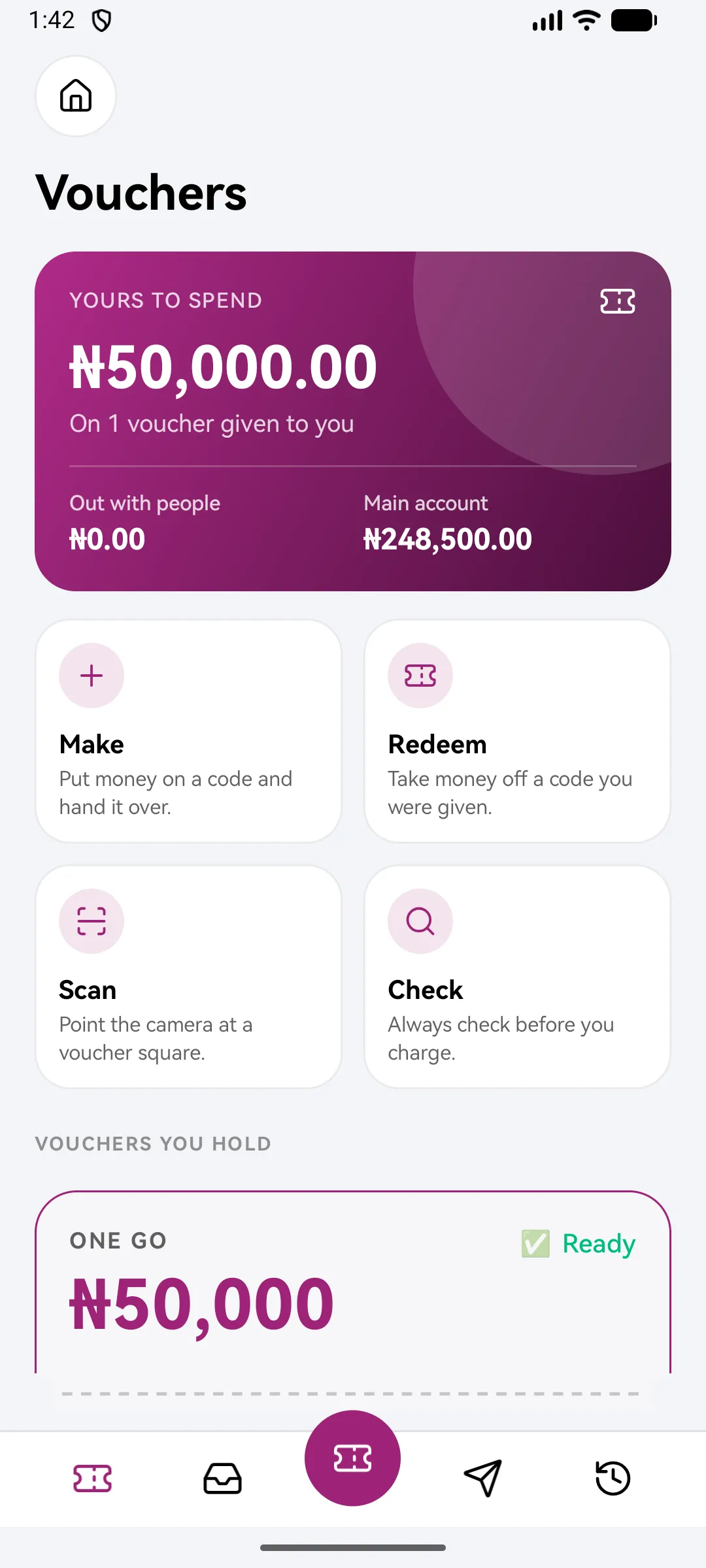
Money on a code you can hand over. Spent all at once, or a bit at a time.

  • Choose one go, keep and spend, or cash out
  • The PIN is shown once, to you
  • Check a code before you hand anything over
  • Too many wrong PIN tries lock the voucher
See how it works
Vouchers: yours to spend and out with people, with Make, Redeem, Scan and Check
Since 2.0

Deals

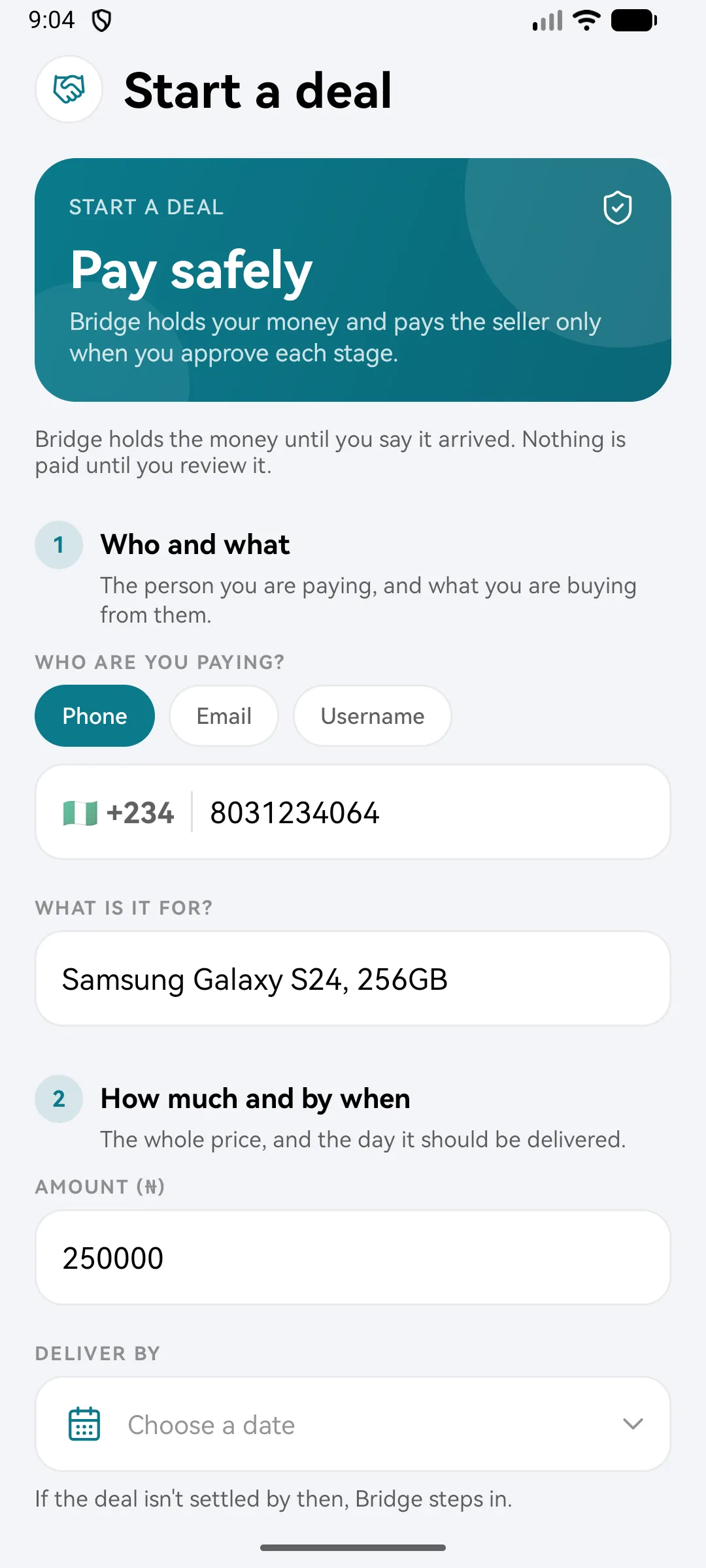
Bridgemoni holds the money and pays the seller only when you approve each stage.

  • Name each stage and its amount
  • Release one stage, keep the rest held
  • A deliver-by date: if the deal isn't settled by then, Bridgemoni steps in
See how it works
Start a deal: who and what, how much and by when, split into stages
Since 2.0

Budgets, goals & insights

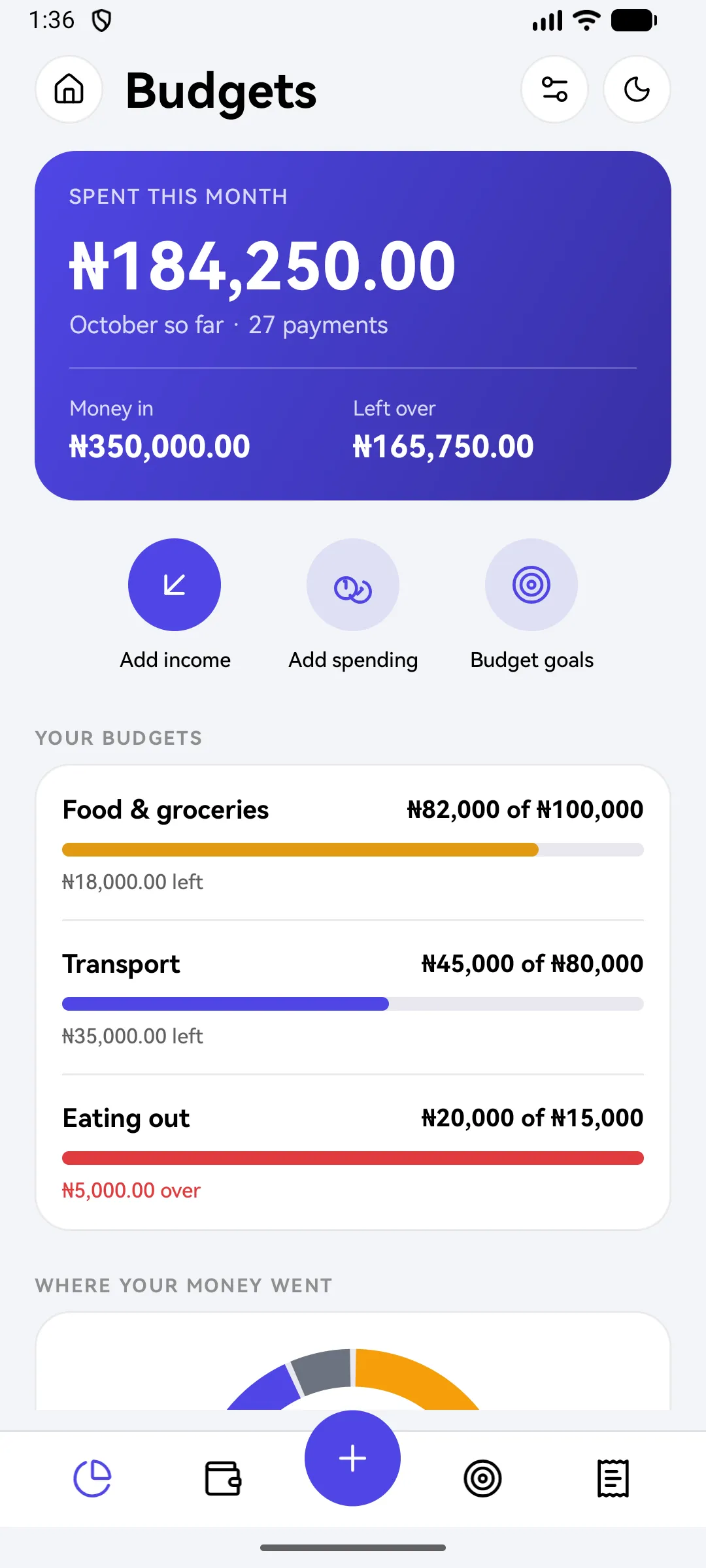
Limits for food, transport and more, with a warning before you go over.

  • Warnings at half, at 80% and when you reach the limit
  • Your own categories, as many as you need
  • Make your month run payday to payday
  • Carry what's left over into the next cycle
See how it works
Budgets: spent this month, money in and left over, with category limits
Since 2.0

Refer friends

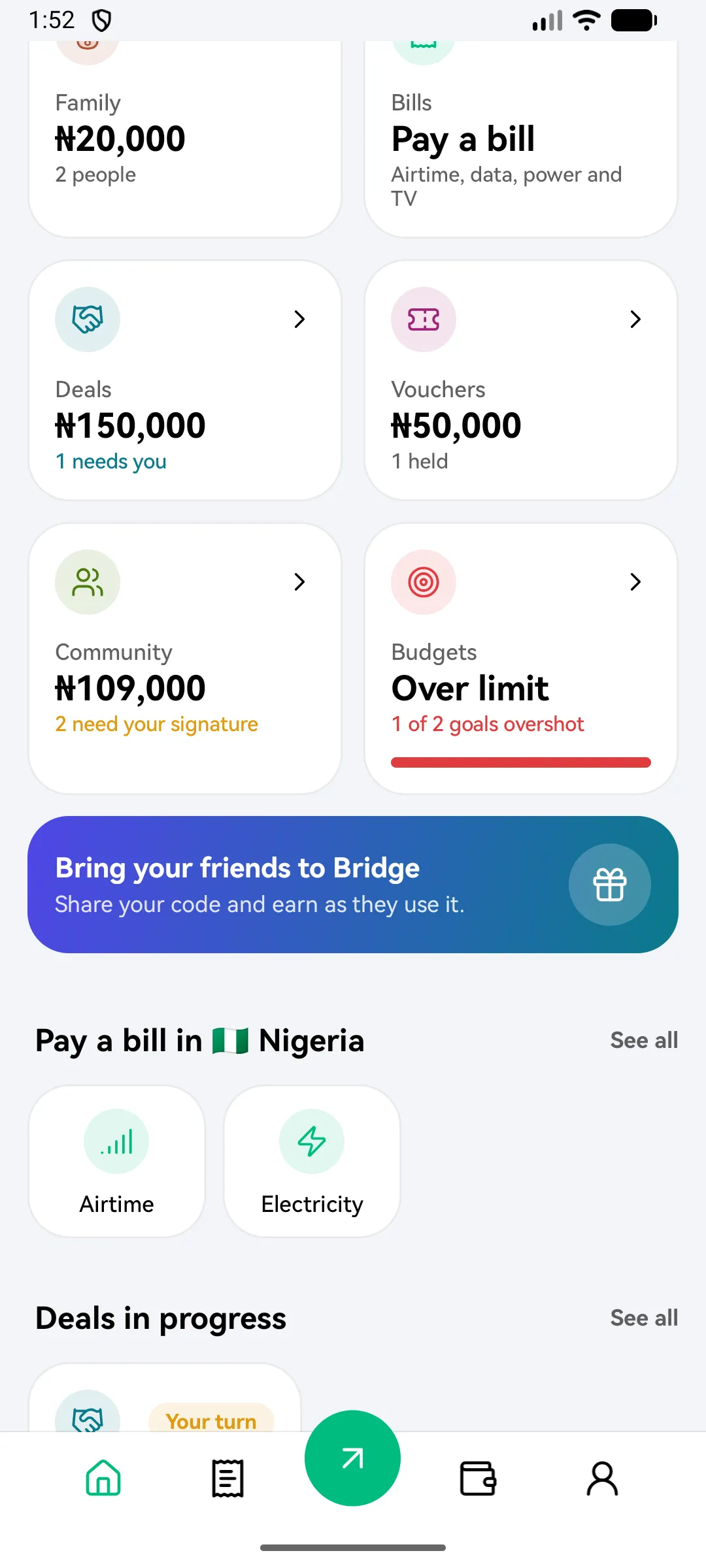
Share your code. When a friend joins and gets verified, you earn from their fees.

  • Share your code from the home screen
  • Got a code from a friend? Add it once, soon after you join
  • See every naira you've earned
See how it works
The Bring your friends banner on the home screen
Since 1.0

Safe by design

Three secrets, a key that never leaves your phone, and a lost phone you can freeze from anywhere.

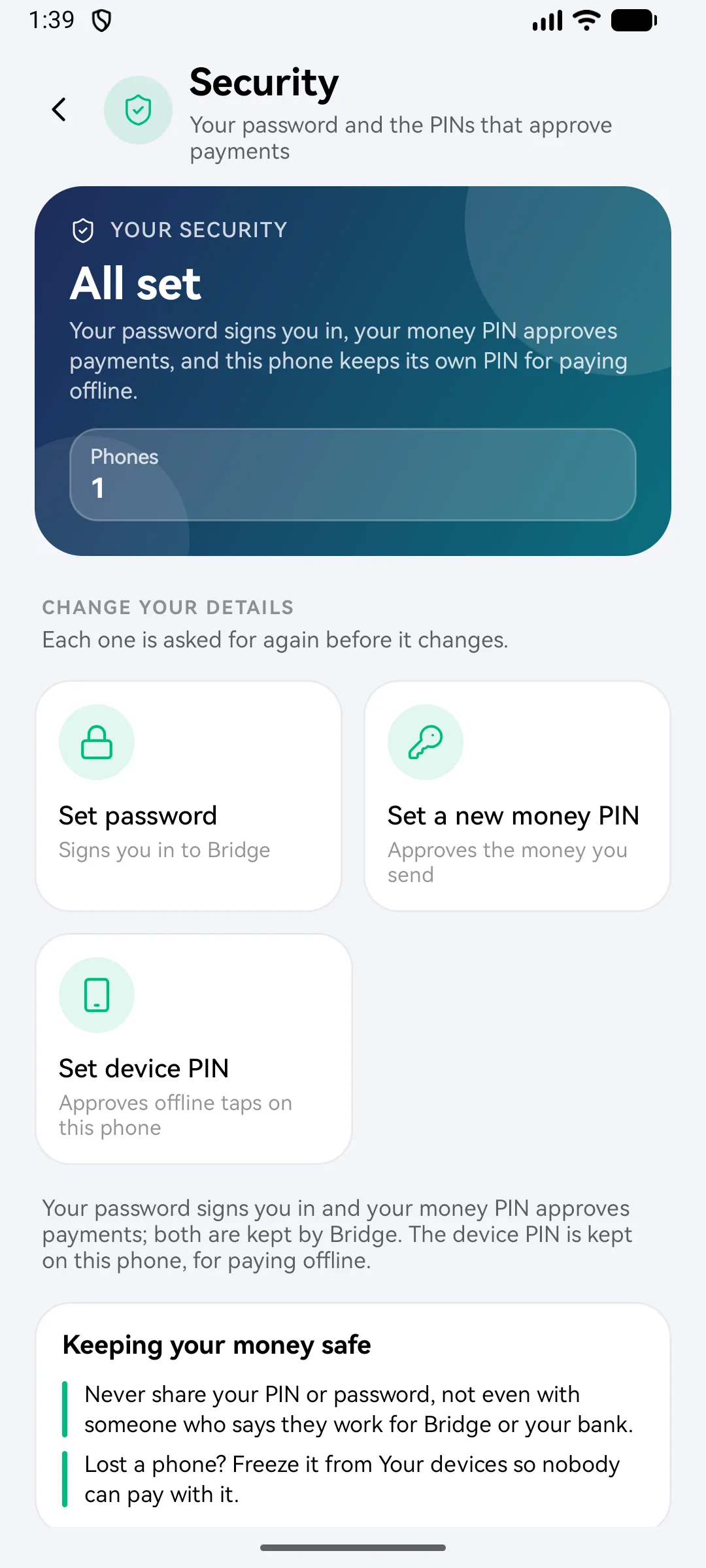
  • A password to sign in, a money PIN for payments, a device PIN for offline taps
  • Your offline key never leaves your phone
  • Freeze a lost phone from any other device
  • Bridgemoni will never ask for your PIN or password
See how it works
Security settings: password, money PIN and device PIN

Get Bridgemoni.

Online money and offline money, in one app.

On Android and iPhone. Offline payments work between Android phones and iPhones, either way, over NFC or Bluetooth.