 Bridge
Settle your taps
Applies to Bridgemoni 2.1Last checked 22 October 2026
Settling sends your offline taps to the bank, so they become ordinary bank money.
Steps
Taps settle on their own when your phone is back online. To do it yourself:
- Open Offline and tap Settle, or Settle now.
- Confirm with your money PIN. It authorises this with the bank.
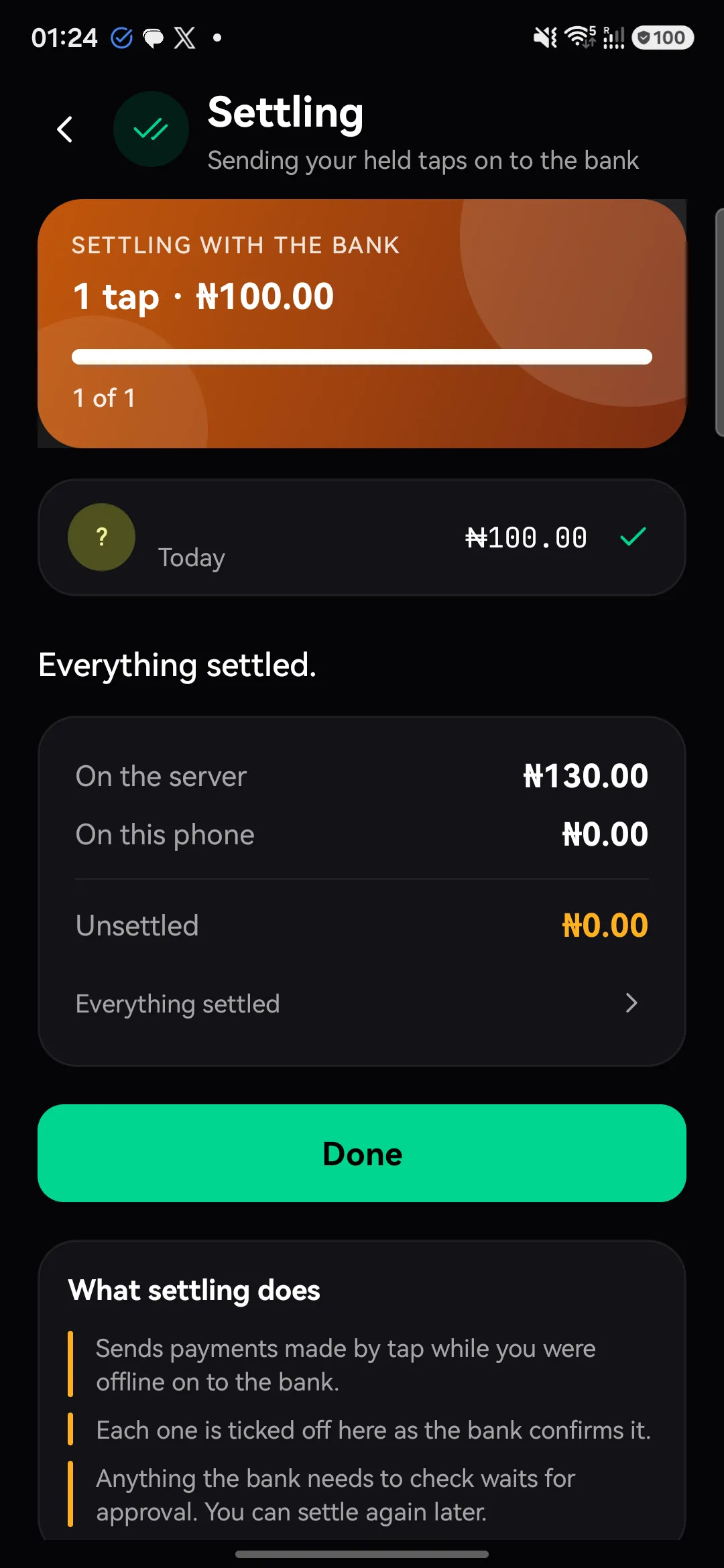
- Wait for Everything settled.
If something goes wrong
- “Settlement didn’t go through.” Your money is still on this phone. Try again, or contact us if it keeps failing.
- Waiting for approval. Some taps are checked by the bank before they settle. You’ll see them marked like this until they’re done.
The offline session
Your phone can pay offline for a limited time. When Offline session ends in runs out, the phone must reach the bank once before it can pay again. Settling gives it a fresh session.
What you'll see
Did this help?
Thanks for telling us.
Still stuck? Contact us. We'll never ask for your PIN or password.