 Bridge
Make and share a voucher
Applies to Bridgemoni 2.1Last checked 22 October 2026
A voucher puts money on a code you can hand to someone.
Steps
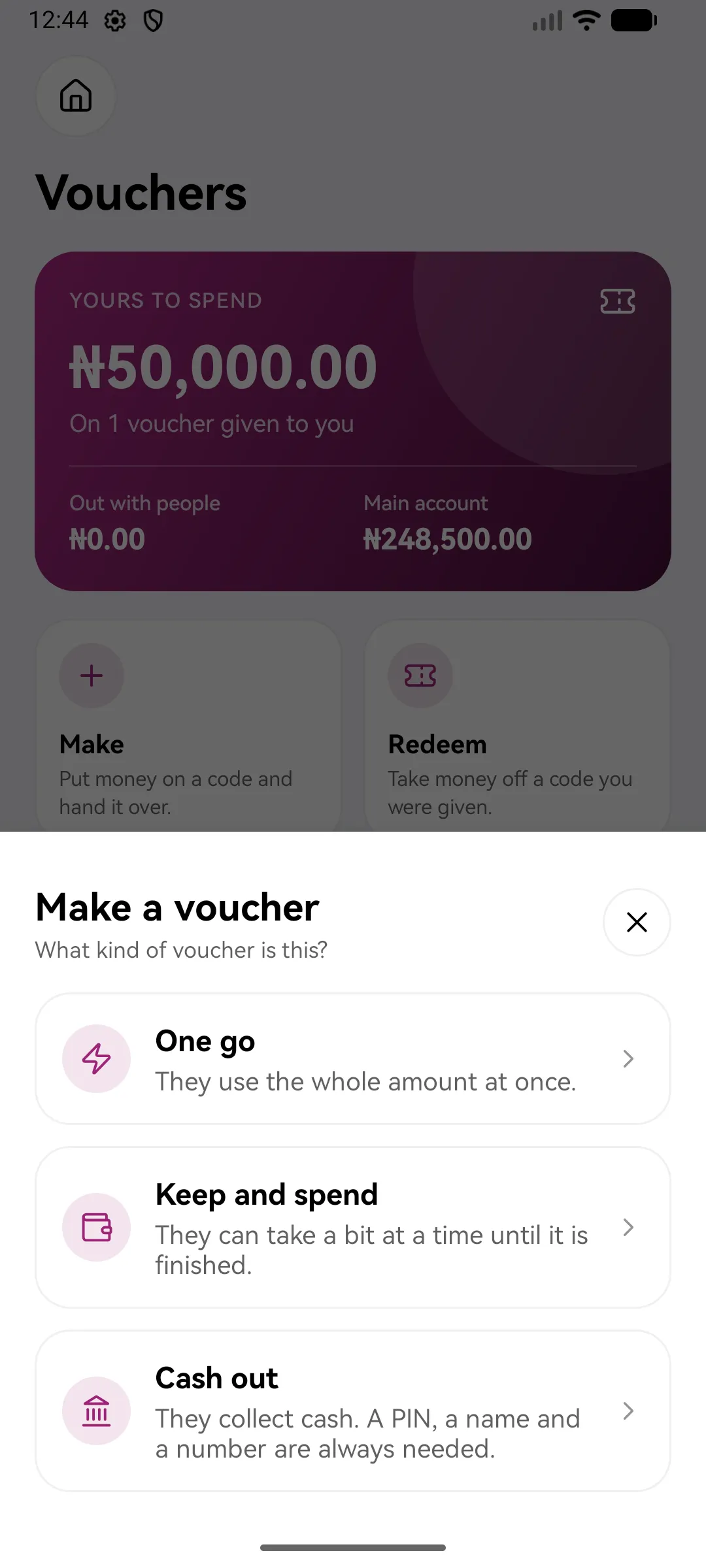
- Tap Vouchers, then Make a voucher.
- Choose the kind:
- One go: they use the whole amount at once.
- Keep and spend: they can take a bit at a time until it’s finished.
- Cash out: they collect cash. A PIN, a name and a number are always needed.
- Enter the amount and who it’s for. Leave the name and number empty and anyone with the code can use it. A cash-out voucher always needs both.
- Choose the voucher’s PIN, or let Bridgemoni make one.
- Check it over, then hold the button to make the voucher.
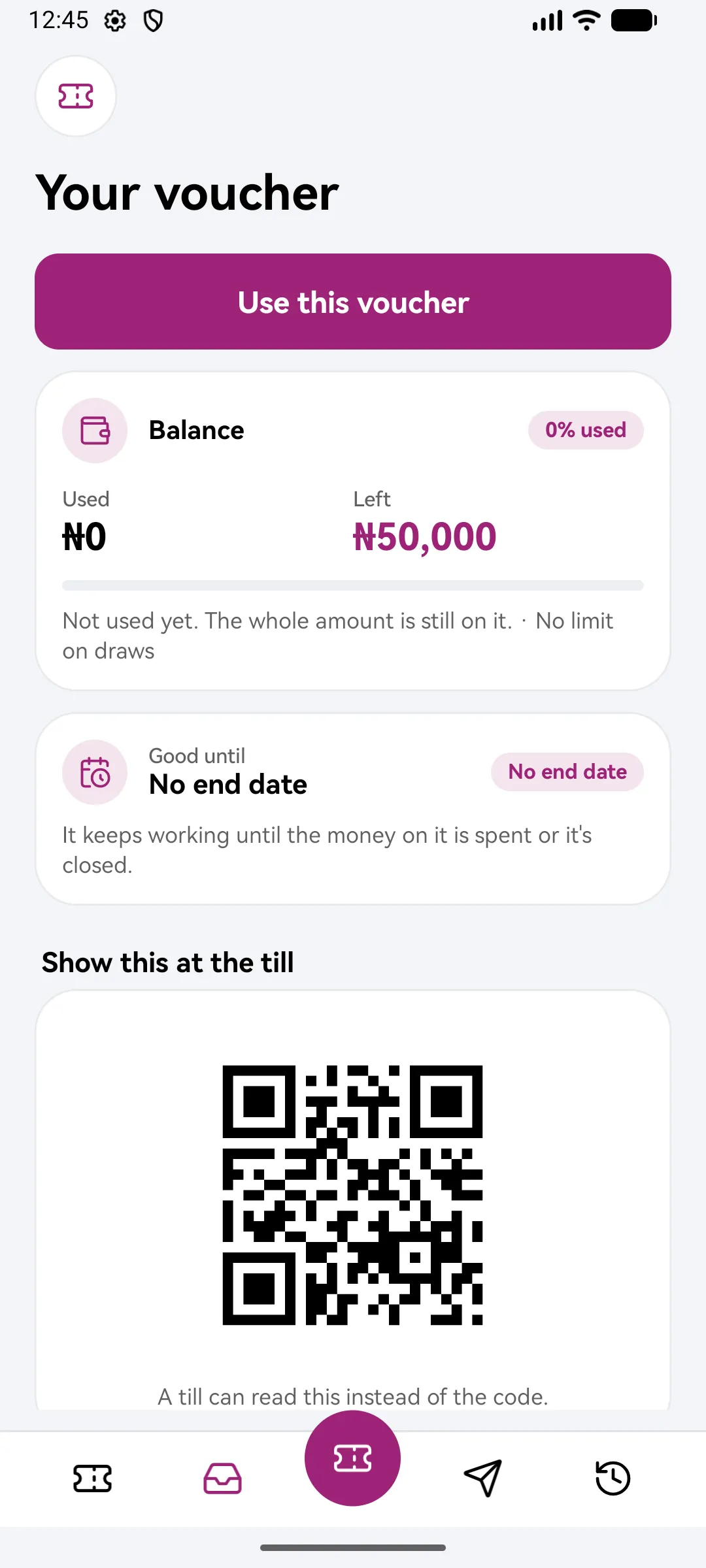
- Share the code, or let them scan the QR.
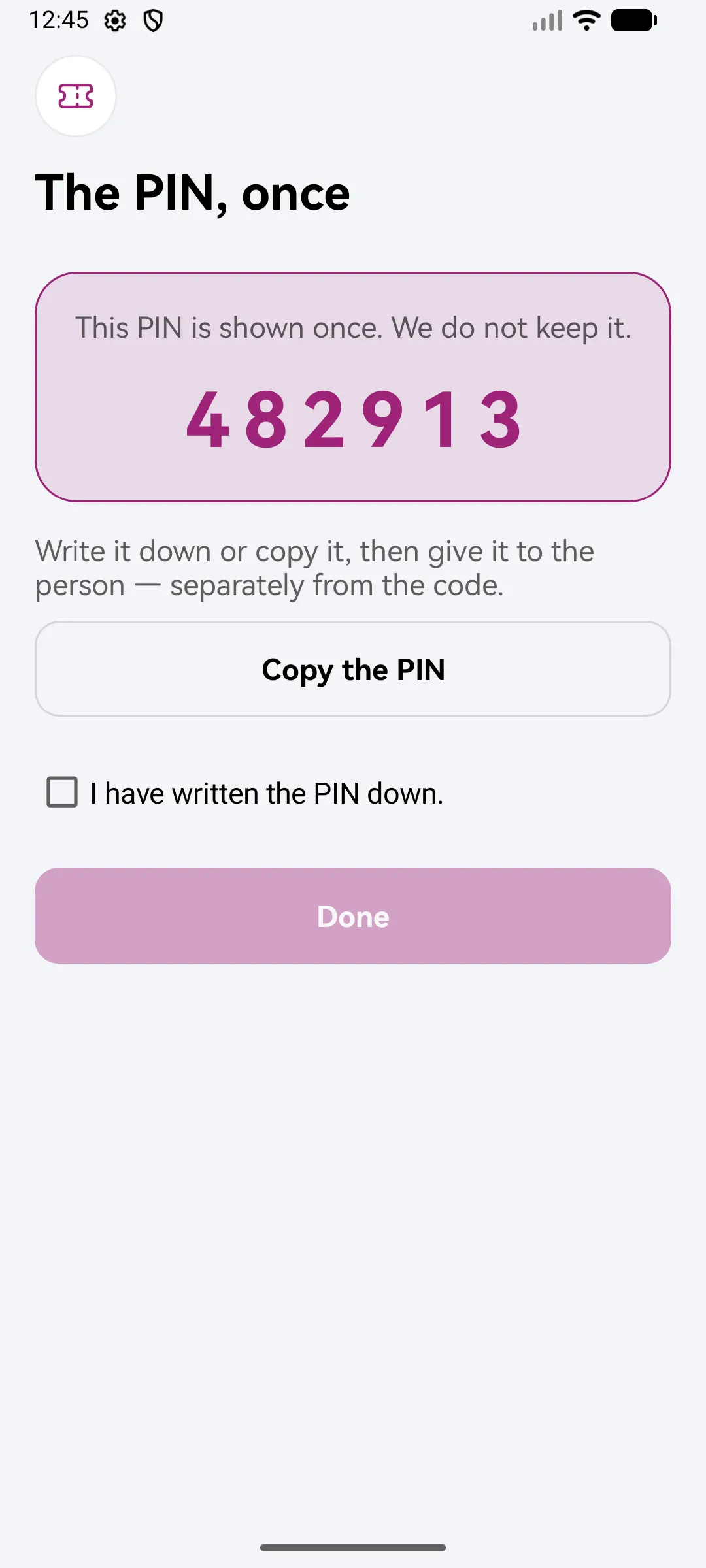
The PIN, once
You’ll see the voucher’s PIN only once. We don’t keep it. Write it down or copy it, then give it to the person separately from the code.
Good to know
- The money leaves your account when you make the voucher, and is held until it’s used or you close it.
- Close a voucher and the money comes back to your main account.
- Too many wrong PIN tries lock the voucher, and whoever is using it is told to ask you to unlock it.
What you'll see
Did this help?
Thanks for telling us.
Still stuck? Contact us. We'll never ask for your PIN or password.