 Bridge
Set up your family pot
Applies to Bridgemoni 2.1Last checked 22 October 2026
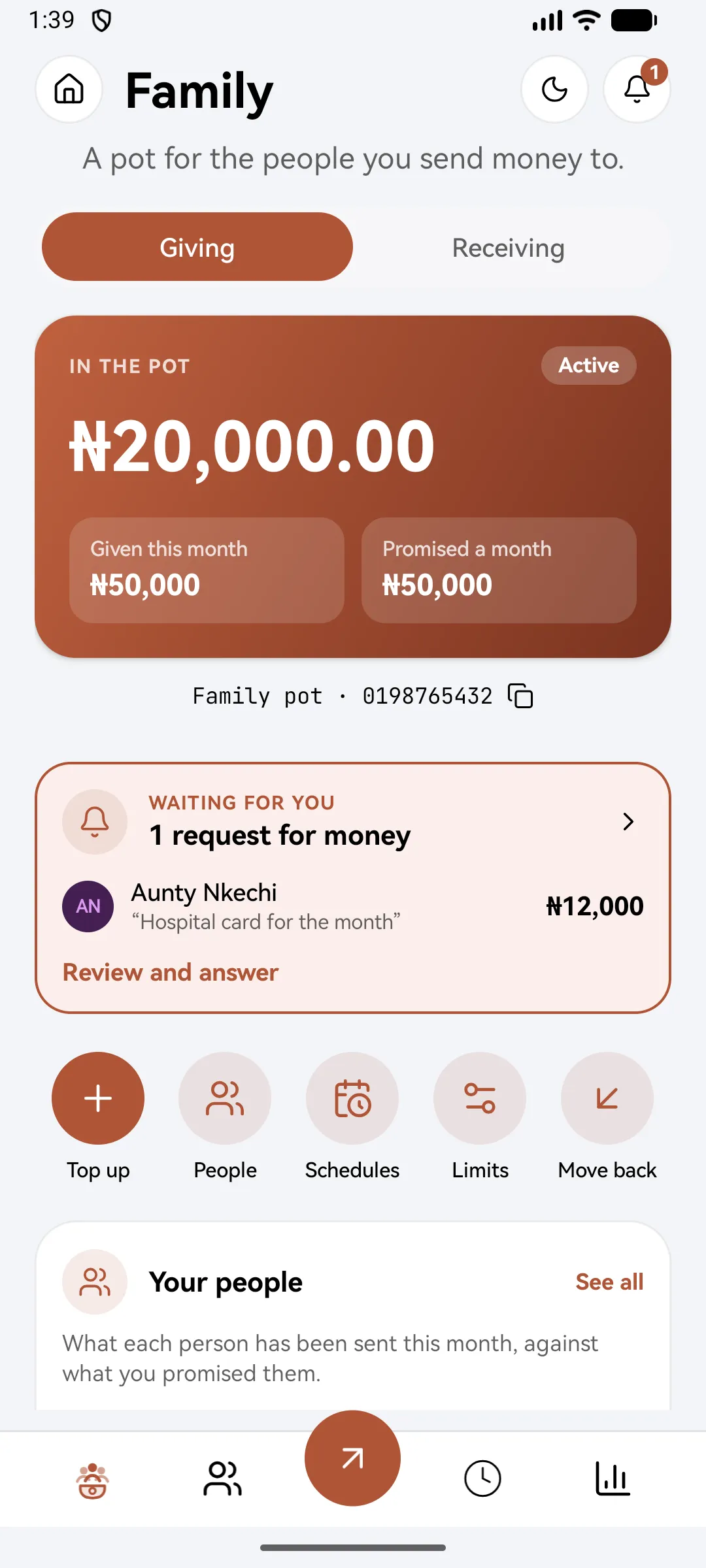
Your family pot is a separate balance for the money you send to the people you support. It sits apart from your everyday money, and only you can move it.
Steps
- Tap Family, then Open the pot.
- Tap Top up the pot to move money from your main account into the pot.
- Open Your people to add the people it’s for. They can be on Bridgemoni or have an account at any Nigerian bank.
- For each person, record how much you mean to give them, and how often: a week, a month, a quarter or a year.
- Send to someone from the pot with your money PIN.
The pot shows what’s in it, what you’ve given this month, and what you promised.
Limits
In Pot limits, you can cap what the pot sends each month, pause the pot, or close it once it’s empty.
What you'll see
Did this help?
Thanks for telling us.
Still stuck? Contact us. We'll never ask for your PIN or password.