 Bridge
Start a deal
Applies to Bridgemoni 2.1Last checked 22 October 2026
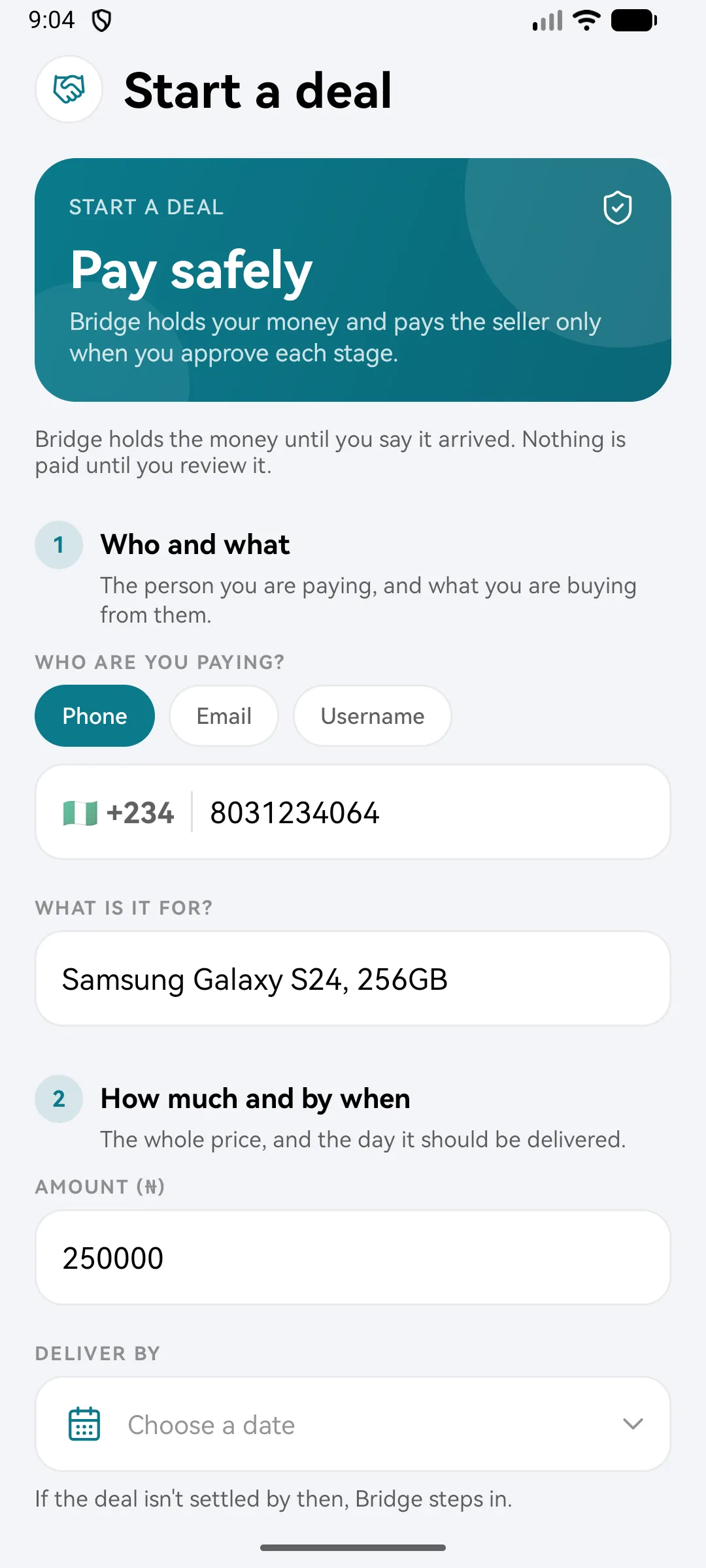
A deal lets you pay a seller safely. Bridgemoni holds the money until you say what you paid for has arrived.
Steps
- Tap Deals, then Start a deal.
- Find the seller by phone number, email or username.
- Say what it’s for, the amount and a deliver-by date. If the deal isn’t settled by then, Bridgemoni steps in.
- For big deals, add stages. Each stage is released on its own, once you both approve it.
- Check the deal. Bridgemoni’s fee is shown before you pay in.
- Pay in with your money PIN.
The seller can see the money is held, so they know you’re serious. It reaches them only when you release it.
Changed your mind?
Before you pay in, you can call off the deal. Nothing has been paid, so no money moves.
What you'll see
Did this help?
Thanks for telling us.
Still stuck? Contact us. We'll never ask for your PIN or password.